
1 Introduction
The archery related blueprints can be divided into three camps:
- Core blueprints that without them archery would not work.
- Secondary blueprints that are realted to challenges, targets, obstacles, etc.
- Aid blueprints that are either provide getter functions, or to add polish.
For the first camp we have the following blueprints and needed interfaces:
- BP_Quiver
- BP_Bow
- BP_Arrow
- BP_HitReactionComponent
- VivePawnCharacter_ARnBox
- VivePawnCharacter_Child
- VivePawn_Character
- VivePawnCharacter_Child
- GM_SteamVR_ARnBox
- BPI_ArcheryWeapons
- BPI_ArcheryPlayer
- BPI_ArcheryGameMode
- BPI_HitReactionBP_TargetSpawner_ARnBox
- E_Hand
The second camp is comprised of the following blueprints and interfaces:
- BP_Pathing_Spline
- BP_ARnBoxChallengePlatform
- BP_ARnBoxChallengeController
- BP_TargetSpawner_ARnBox
- BP_Fake_Target
- BP_ArcheryTarget
- BP_ArcheryTarget_Accelerator_Deccelerator
- BP_ArcheryTarget_CorckScrewMovement
- BP_ArcheryTarget_Kamikaze
- BP_ArcheryTarget_WaveMotion
- BPI_ArcheryChallengeController
- BPI_ArcheryChallengeElements
- F_TargetSpawnData
- F_TargetSpawnDataArray
The third has the following blueprints:
- BP_Bunker
- Steam_VR_Player_Controller_ARnBox
- BPFL_VRFitnessControlers
- BPML_VRFitness
- BPI_PlayerController
The interfaces are used to path communication between all of the above blueprints without requiring casting and hard references to their respective classes (thus we only use references of class AActor).
2 Core Blueprints
Just a brief high-level explanation of how the interactions appear before diving into greater detail of each blueprint.
The player first grabs the quiver, attaching into onto himself and grabs the bow. Then going for the quiver, the player can grab an arrow then nocking it into the bow, pulls the string and releases setting the arrow loose. All the attaching events, gripping and so on are being mediated by the beforementioned interfaces.
So, without further ado a deeper explanation of each blueprint.
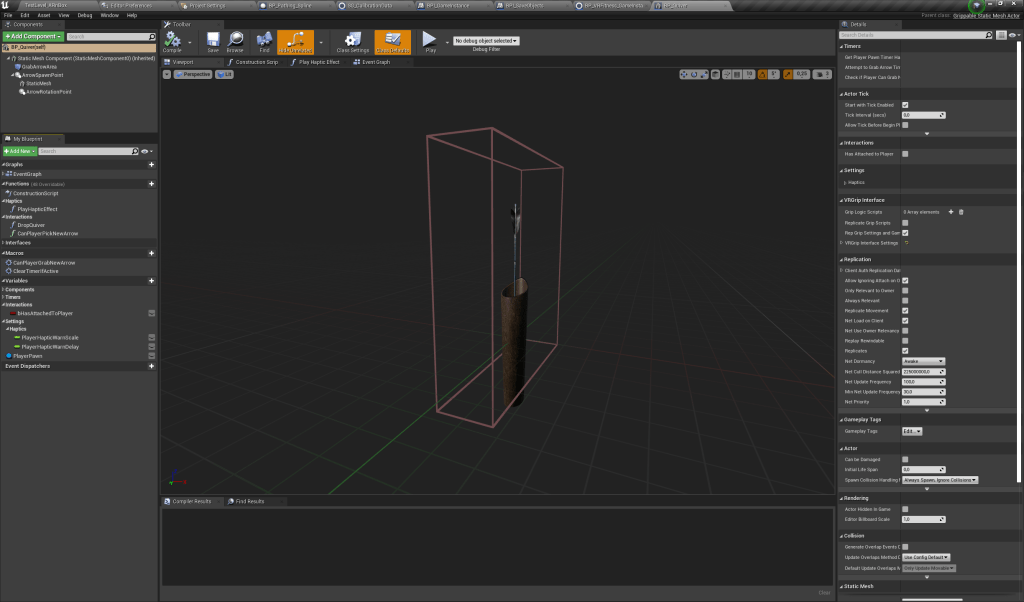
2.1 BP_Quiver
This blueprint handles the mechanism of feeding arrows to the player.
It has an active grip enabled volume that listens to “grip events” handling them to it’s discretion.
There are only two settings that one needs to be aware of to further tweak this blueprint behaviour:
- PlayerHapticWarnScale – Controlls the scale of the haptic feedback that occurs to warn the player that it can grab a new arrow. This trigger is further sent trough BPI_PlayerController.
- PlayerHapticWarnDelay – A small delay for grab a new arrow haptic feedback effect.
One can find this beforementioned settings at category Settings|Haptics.
For a first grab the blueprint will call “AttachQuiverToPlayer” that does the following:
- Sets flag “bHasAttachedToPlayer” as True.
- Forces the player to drop the quiver.
- Tells the player’s pawn blueprint to attach this blueprint to itself trough “BPI_ArcheryPlayer”.
- Further grip events will cause the blueprint to check if the player has a bow (BP_Bow) equipped and if such bow does not have an arrow (BP_Arrow) already attached to it. This uses both the beforementioned interface and BPI_ArcheryWeapons.
- If both responses are positive then it will trigger “SpawnAndAttachArrow” that is sent trough BPI_ArcheryPlayer interface.
2.2 BP_Bow
This blueprint core functionality is to attach arrows (BP_Arrow) to it’s string and setting them loose. Keeping track of the state arrow attached/not attached..
It keeps track of further the string has been pulled (animating the string in the process and playing feedback haptics if necessary) and uses that displacement to drive the arrows’ velocity.
This blueprint has a few settings that directly impact it’s gameplay feel.
- Settings
- String
- bUseHardestDraw – Toggle between using HardestDrawDistance and EasierDrawDistance
- bUseEasiestDraw – Toggle to either use EasiestDrawDistance or one of the other’s variables depending on bUseHardestDraw setting.
- HardestDrawDistance
- EasierDrawDistance
- EasiestDrawDistance – Current value in use.
- Appearance
- bUseLongBow – Toggle between using a non fantasy looking bow that has an etch to slot arrows into or use Paragon Sparrow’s bow.
- String
The draw distance variables controll how much one needs to pull the string to fully draw the bow. That is, how further does the hand that gripped the string needs to travel to pull the string. Currently EasiestDrawDistance is being in use. These draw values are being in use by “GetDrawDistance” function.
bUseLongBow switches the skeletal mesh that the blueprint uses, along with switching the animation blueprint. This is due to the two skeletal meshes in use do not share a skeleton.
Currently the Longbow might need a bit of polishing on the right hand socket and a more in depth tweak to it’s animation blueprint (the string displacement needs further refining on it).
After the bow is grabbed it will remain attached to a player’s hand trigger forced grabs when needed (the go trough BPI_ArcheryPlayer).

2.3 BP_Arrow
This blueprint is just a projectile with not much added functionality added to it.
It has a volume that will trigger attaching events (that is, attaching to the bow if bow does not already has one attached to it) and another volume that handles collision events (they are being handled by BP_HitReactionComponent and BPI_HitReaction.
A few settings exist that impact either the gameplay or just the interactivity of the arrow:
- bShouldBeGrippable – Should this arrow be grippable, this setting is geared to when arrows are placed in the level.
- bShouldBeAffectedByGravity – Toggle Off if gravity should not affect the arrow after getting shot.
- bShouldUseAudioComponent – A toggle to either use the AudioComponent for collision sounds or just spawn a sound at collision location.
- bShouldAutoShoot – Toggle to make this arrow shoot right after being spawned, this setting is geared more for an obstacle or turret.
- MaximumVelocity – Arrows maximum velocity when shot.
- ArrowLifespan – Lifespan of the arrow after being shot.
When BP_Arrow attaches to the bow it will detach itself from the player’s hand. It uses GripOrDropItem from BPI_PlayerCharacter to do so.

2.4 BP_HitReactionComponent
This blueprint handles collision events.The only setting to be aware of is DelayBetweenCollisions (this is just a delay for the case the projectile pierces multiple objects and we might not want to trigger too many events in a row).
It works as following:
- It’s owner blueprint reports a collision.
- Checks if it collided against an actor,
- Checks if it hasn’t recently collided with said actor.
- Checks if hasn’t collided recently.
- Checks if collided actor implements BPI_HitReaction interface.
- Sends all collision information to collided actor trough said interface.
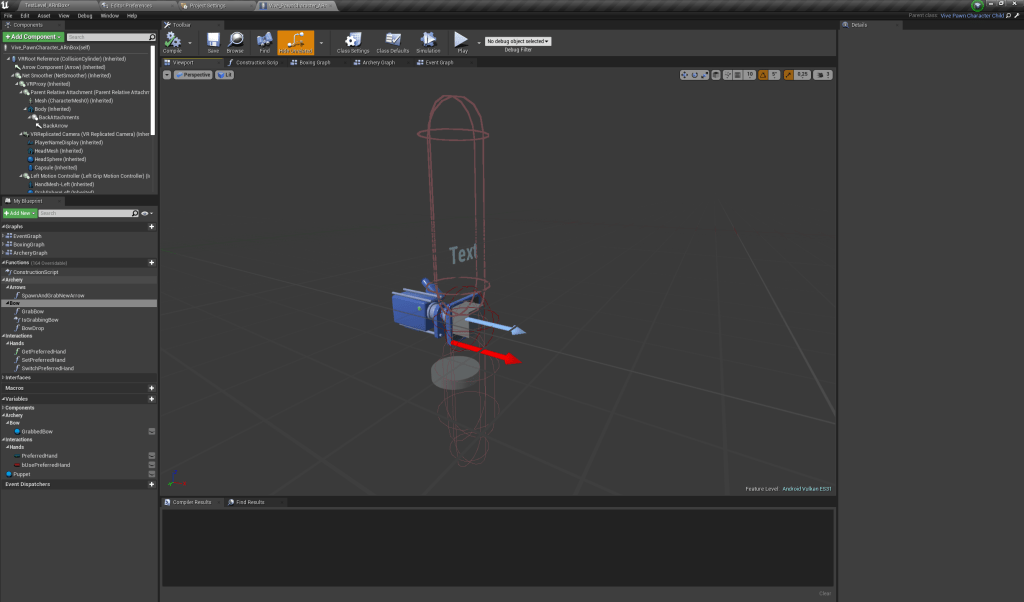
2.5 VivePawnCharacter_ARnBox
This character handles all archery related player interactions.
They are all attaching events barring one (InputAction SwitchPreferredHands).
Only two settings affect gameplay:
- PreferredHand – An EHand enum that keeps track of which hand does the player prefer to have the bow attached onto. This setting will later be handled by the same system that will handle obstacles’ calibration..
- bUsePreferredHand – This is just a toggle to make the bow grab to either fix the bow to the hand the variable PreferredHand points to or just use the hand that has grabbed the bow.
The InputAction SwitchPreferredHands event just triggers a drop of the bow from the current hand reattaching it right after to the new set hand. (Just a flip/flop).
2.6 VivePawnCharacter_Child
Parent class of VivePawnCharacter_ARnBox and child of VivePawn_Character.
Has no added functionality that directly affects archery.
2.7 VivePawn_Character
This blueprint comes from the VRExpansion plugin by MordenTral.
It implements all player required interfaces:
- BPI_PlayerCharacter.
- BPI_ArcheryPlayer.
No settings are used by this blueprint.
Event GripOrDrop item is implmented here.
2.8 GM_SteamVR_ARnBox
Has BPI_ArcheryGame mode interface.
Only one setting to keep aware off:
- ArrowClass – Soft class reference of the arrow projectil class that will be used when spawning a new arrow.
Implements SpawnNewArrow that spawns a provided ArrowClass and outputs the resulting spawned actor.
2.9 BPI_ArcheryWeapons
Communication done to BP_Bow and BP_Arrow is done trough here.
Two categories of functions and events exist here:
- Archery
- Bow
- BowHasArrowAttached – Checks if the bow currently has an arrow attached to it.
- GetBowAttachmentTransform – Get Bow Socket Transform, dependent on which hand to attach to.
- GetStringGripController – Returns the GripController that is grabbing the bow string, IF exists.
- AttachArrowToBow – Will force the provided arrow to attach to the target bow.
- ForceGrabBowString – Will force the provided grip controller to grab the target bow string.
- Arrow
- SetArrowTotalDisplacement – Sets how “pulled” the target bow string was before setting it loose.
- SetArrowLoose – Will set loose the target bow attached arrow.
- SimulateCollision – Will trigger the collision event on the target arrow, even if no collision has occurred.
- Bow

2.10 BPI_ArcheryPlayer
Communication done to player character regarding archery is done trough this interface.
A category exists for each element that interacts in game with this character.
- Archery
- Quiver
- AttachQuiver – Attaches target quiver to character.
- DropQuiver – Detach target quiver from the character.
- Bow
- IsGrabbingBow – Checks if the player is currently grabbing a bow.
- AttachBow – Will attach bow to provided grip controller.
- DropBow – Will detach bow from the provided grip controller.
- Arrow
- SpawnAndAttachArrow – Will trigger an arrow to spawn and to attach itself to the player’s hand.
- Quiver

2.11 BPI_ArcheryGameMode
Communication to the GM_SteamVR_ARnBox is done trough here.
Currently only one function is there, just to spawn an arrow and to provide a reference to it.
- Archery
- Arrows
- SpawnNewArrow – Will spawn an actor of the class set on the game mode as ArrowClass. Outputs a reference to the newly spawned actor.
- Arrows

2.12 BPI_HitReaction
Interface used to mediate collision events between actors (in order to have them linked).
- HitReaction
- HitReaction – Will trigger an HitReaction event on the target actor.
- HitRecoil – Will trigger an HitRecoil event on the target actor.

2.13 E_Hand
Enum with two entries:
- LeftHand
- RightHand
This enum is provided by the engine.
3 Secondary blueprints (Challenge Blueprints)
On this section all archery challenge related blueprints are present, same for target blueprints and all related interfaces and structs.
A higher level explanation on how the challenge is played out:
The player enters the challenge platform. This prompts the challenge controller to start reading the provided timings data table. When each timing is due it will trigger a spawn event on the challenge spawner. Challenge spawner will then in turn read the provided data table that holds information on which object to spawn and which pathing spline said object should follow. If the spawner has been set to spawn a fake target then instead it will spawn said fake target passing along to it the data table spawn information. When a fake target is spawned it will attempt to reach it’s goal destination, which is the first point of the pathing spline. When the goal is reached the fake target will then prompt the challenge spawner to trigger a spawn using the fake target’s saved spawn data. At this point with the correct target then spawned it will fetch the provided pathing spline using it to create it’s flight path which will promptly follow. If the target has any behaviour built in it will activate it at this point. The target is despawned when either the player shoots it with an arrow or the target reached the end of it’s flight path.
3.1 BP_Pathing_Spline
This blueprint holds a spline component that is later fed onto actors of BP_ArcheryTarget clase that will use it to build their flight path.
A few settings might be of interest depending on art direction and challenge design. To this actor can be added static mesh components that would act as visual cues (ie: lit/unlit torches, lights flickering) that could aid the player to know from where the targets are coming from and to where are they headed.
This would be more helpfull if the spline has more complex designs for the flight patters.
The settings to be aware off if applying said Visual Cues are the following:
- Settings
- Visual Cues
- bToggleVisualCues – Toggle to turn on visual cues for when a target is on this spline pathing.
- VisualCueStaticMesh – What static mesh should the Visual Cue use.
- VisualCueMaterial – What material should the Visual Cue use.
- VisualCueDynamicParameter – Name of Visual Cue material scalar parameter to be update at runtime.
- Visual Cues

3.2 BP_ARnBoxChallengePlatform
The challenge platform consists of two meshes (Platform and Wall). Platform is only used to play visual effects that get triggered when a new target is spawned.
Wall is used to trigger the challenge start when the player’s overlapps it while also confining the player to it’s bounds for the challenge duration.
Currently there are two shapes that can be toggled: a square shape and a circular one.
Just two settings to be aware off:
- Settings
- ChallengeController – Sets the ChallengeController to be triggered. Needs to be set after placing in the level.
- bUseSquaredShape – Toggle between using a circular or squared shape for the challenge platform and wall.

3.3 BP_ARnBoxChallengeController
When this blueprint gets activated the challenge starts. It will read the provided timings datatable, evaluates each timming checking if they should be altered by any given amount, and when each revised timing is due it will trigger a spawn event to occur.
It also keeps track of currently alive targets (ie: targets that where neither hit nor have finished traversing their pathing).
Just a few settings need to be tracked:
- Challenge Settings
- ChallengeSpawner – The current challenge spawner blueprint.
- ChallengeSong – Challenge song to play.
- MusicTimingsMap – Maps the timings data tables to the challenge songs. The mapping is tied up to the song set in ChallengeSong.

3.4 BP_TargetSpawner_ARnBox
This blueprint has all the required logic for spawning the challenge targets with the correct data assigned to them.
It holds the data datable with information on objects to spawn and spline pathing to assign while also holds data of the chosen challenge objects and the pathing splines that exist in the level.
There’s a few settings to be aware of when setting up the challenge, they are as follows:
- Settings
- Pathing Splines
- ObjectsAndPathingSplineTables – An array that holds the challenge’s DataTables. Use a DataTable whose entries are from F_TargetSpawnDataArray type.
- PathingSplines – Holds the challenge’s PathingSplines. Make sure that the actors set are of class BP_PathingSpline
- BunkerSplinePairing – Maps the PathingSplines with corresponding spawn Bunkers (if existing). Key: PathingSpline Value: SpawnBunker. Set this if using actors of class BP_Bunker in the challenge.
- Spawning
- bShouldSpawnFakeDrone – Toggle between using the FakeDrones or not. FakeDrones are non hittable meshes meant to be spawned further away from the pathing splines.
- FakeDroneSpawnPoint – The FakeDrone spawn point. The provided actor needs to have: FakeDroneSpawnPoint tag to it!
- bSpawnObjectOnRandomPathingSpline – Set True if spawning object should ignore the data table pathing spline entry and instead getting a pathing spline assigned randomly.
- Pathing Splines

3.5 BP_Fake_Target
This blueprint will attempt to go towards a goal location (which in turn is the starting point of a BP_PathingSpline actor) and when reaching said goal it will trigger a spawn event.
Thus spawning an actor of BP_ArcheryTarget class. In order to mask this spawning event a mesh component is placed at the spawning event location.
Everything is already set up in place such that when BP_TargetSpawnerARnBox spawn this actor it will have the correct settings. But is always good to be aware of the following variables:
- Settings
- Pathing Spline
- PathingSpline – Holds PathingSpline reference. This needs to be set up when spawning BP_FakeTarget!
- Pathing Spline
- Settings
- Spawn
- TargetSpawnData – The SpawnData to be used to spawn the real target.This needs to be set up when spawning BP_FakeTarget!
- TargetSpawner – The current challenge spawner. This needs to be set up when spawning BP_FakeTarget!
- Visual Effect
- SpawnEffectMesh – The mesh to show when triggering the real target spawn.
- SpawnEffectMaterial – Material to be applied on SpawnEffectMesh
- Pathing Splines
- ObjectsAndPathingSplineTables – An array that holds the challenge’s DataTables. Use a DataTable whose entries are from F_TargetSpawnDataArray type.
- Spawn
I would add that only the two variables in the Visual Effect category are needed to further refine the challenge as they happen a lot during the challenge and their visual impact is significant.

3.6 BP_ArcheryTarget
This actor has all the logic needed for it to function. The children blueprints only have their behaviours implemented and override any needed functionality.
A few of it’s settings are set when the actor is spawned while others are set at editor time.
- Settings
- Pathing
- PathingSpline – The pathing spline this target will follow. This needs to be set at spawn time!
- TrackSteps – Amount of points to segment the pathing spline into.
- FlightDuration – Duration of a full flight from start to finish of the pathing spline.
- Behaviour
- bShouldAutoActivateMovement – Toggle between having the target following the pathing spline right after spawning or waiting for a trigger to do it. Can be set at spawn time.
- bShouldAutoActivateBehaviour – Toggle between having the targets inherent behaviour to be active after spawning or to wait for a trigger to do it. Can be set at spawn time.
- RagdollDuration – Amount of time to allow physics simulation before despawning the actor. This is only relevant after the actor has been hit.
- StartBehaviourDelay – Delay between spawning and activating behaviour. Requires bShouldAutoActivateBehaviour to be TRUE.
- Orientation
- bShouldFacePlayer – Toggle to allow the target to face towards the player. Default is TRUE.
- OrientationFix – A fix to properly adjust the mesh orientation on children blueprint that might need it. This is due to the drone skeletal mesh main axis being the Y axis. In Unreal the forward axis is the X axis, so there’s a shift that needs to be accounted for.
- Collision
- CollisionCapsuleSizeMultiplier – A multiplier to the capsule collision size. It will multiply against the bounds of the visual mesh in use. So at a value of 1 it closely envelops the skeletal mesh.
- CollisionImpulseMultiplier – A multiplier to apply to the velocity of the projectile that hit this target. It directly impacts the force that will push this actor after an hit.
- TargetActor – Actor for this actor to face towards to. Needs to be set at spawn time! And only used if bShouldFacePlayer is set to TRUE.
- ChallengeController – This challenge’s controller actor reference. Needs to be set at spawn time!
- bShouldPresentDebugText – Toggle TRUE to see debug text in game. Default is FALSE.
- Pathing

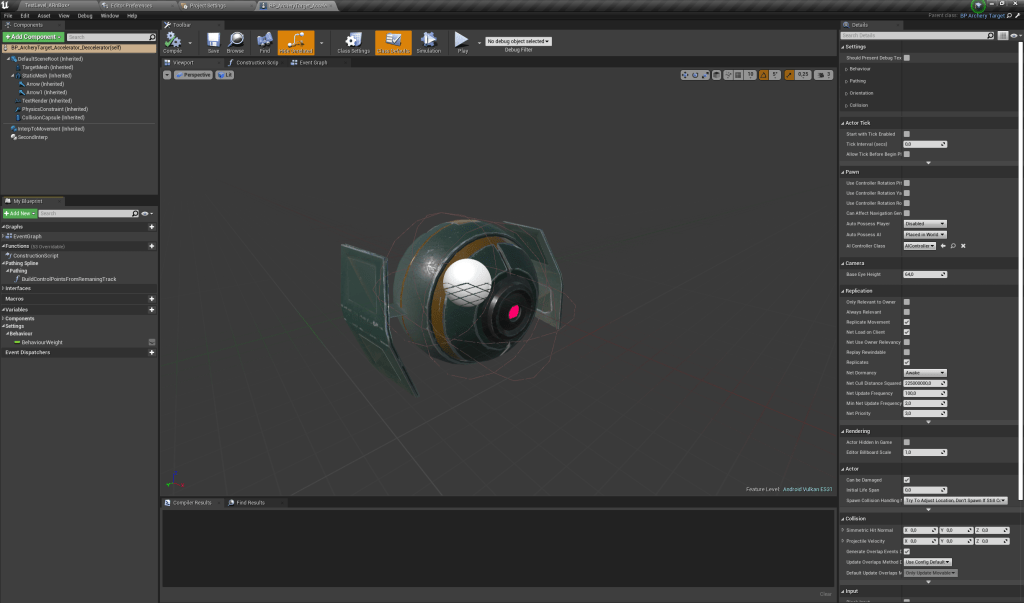
3.6.1 BP_ArcheryTarget_Accelerator_Deccelerator
This actor has a random bool with weight node that will select if it should accelerate or deccelerate when it’s behavior is triggered.
It basically applies a custom time dilation to “simulate” it as changing the InterpToMovement node proved unsuccessful
So the only setting to keep track it’s the weight to be applied.
- Settings
- Behaviour
- BehaviourWeight – Weight to toggle this actor to accelerate or decelerate.
- Behaviour
3.6.2 BP_ArcheryTarget_CorckScrewMovement
This actor uses a RotatingMovement Component to Rotate the mesh around the movement path.
No settings to be tweaked.

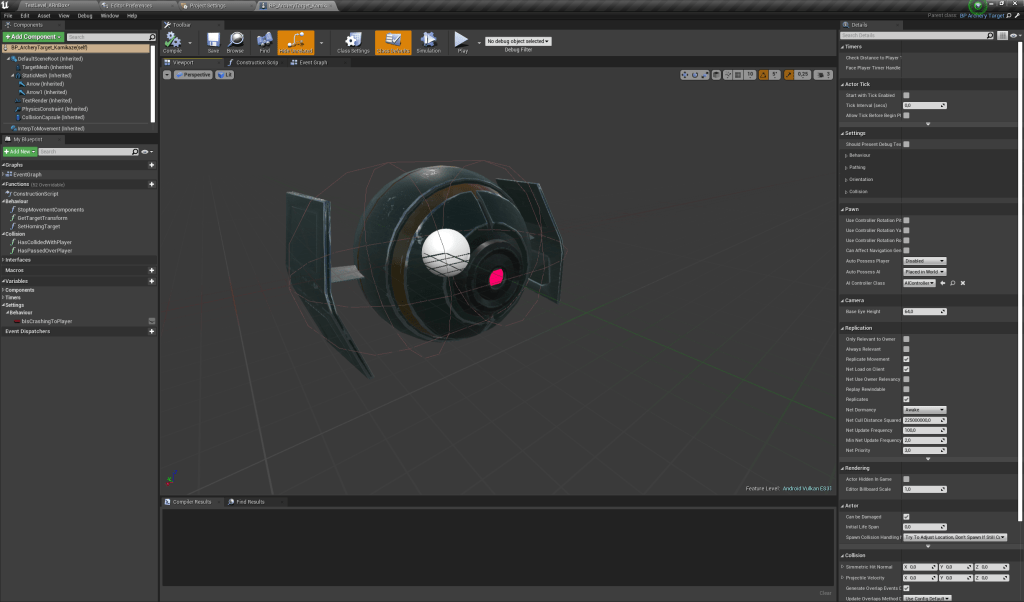
3.6.3 BP_ArcheryTarget_Kamikaze
No settings to be tracked. This blueprint uses a projectile movement component to home in on a target position when it’s behaviour is set.
3.6.4 BP_ArcheryTarget_WaveMotion
This blueprint uses a timeline to simulate a waving motion. It basically displaces the mesh either sideways (on Y axis) or up/down (on Z axis) or both at same time (albeit for having both perhaps using separate timelines might be advisable).
Few settings to be aware off:
- Settings
- Waving Type
- bWaveSideways – Toggle TRUE to allow waving on the Y axis. Default is OFF.
- bWaveUpAndDown – Toggle TRUE to allow waving up and down. Default is TRUE.
- WaveMaxAmount – Maximum relative displacement for the waving.
- Waving Type

3.7 BPI_ArcheryChallengeController
Communication to the challenge controller is done trough this interface.
- Targets
- AddNewLiveTarget – Adds new live target to challenge controller target pool.
- RemoveLiveTarget – Removes provided target from challenge controller target pool.
- Challenge Control
- StartChallenge – Will start the challenge.

3.8 BPI_ArcheryChallengeElements
Communication between all archery challenge elements (barring the controller) are done trough here.
So in sum, the spawner, platform, pathing spline, targets and bunker.
- Challenge Spawner
- Pathing Splines
- GetAllPathingSplines – Returns all pathing spline actors that the spawner holds.
- Spawning
- SpawnTarget – Will spawn an object using provided SpawnData. This will not increase the Current Row index.
- TriggerNextSpawn – Tells the spawner to read the data table and spawn objects accordingly. This executes needed safety checks and will increase the Current Row index.
- TriggerChainSpawning – Tells the spawner to read the data table and spawn objects accordingly. It will do so as many times as set by Number Of Spawns. This executes the needed safety checks and will increase the Current Row index.
- WillSpawnFakeDrone – Checks with the challenge spawner to see if it will spawn a fake drone.
- Pathing Splines
- Bunker
- Spawning
- TriggerSpawnFrontDoor – Trigger bunker Front door spawn event.
- TriggerSpawnRoofDoor – Trigger bunker Roof door spawn event.
- Spawning
- Challenge Platform
- Spawning
- TriggerSpawnAnimation – Triggers challenge platform spawn animation. To be used when a target has been spawned.
- ChallengeHasEnded – Triggers ChallengePlatform Challenge End event.
- Spawning
- Targets
- Behaviour
- InitializeBehaviour – Tells provided target to start it’s inherent behaviour.
- Behaviour
- Pathing Spline
- Pathing
- GetTrackSpline – Gets spline component from target pathing spline.
- Targets
- AddTargetToTrack – Tells target track that a new target has entered it.
- RemoveTargetFromTrack – Tells target track that the provided target has left.
- Pathing

3.9 F_TargetSpawnData
Struct that holds Object Spawn Data. Comprised of the spline track and the index of object to spawn.
3.10 F_TargetSpawnDataArray
Struct that holds an Array of object Target Spawn Data entries.
4 Aid Blueprints
4.1 BP_Bunker
This actor has active volumes that check if a target is residing inside them. Thus controlling a door state: either opened/closed. If opened it can close when no targets are there.
This state is fed onto an animation blueprint to animate doors opening/closing.

4.2 Steam_VR_Player_Controller_ARnBox
This actor has the interface BPI_PlayerController implemented on it. It is used to pass along Play Haptic Feedback commands.
It calls Play Haptic Effect (which is native to the engine).

4.3 BPFL_VRFitnessControlers
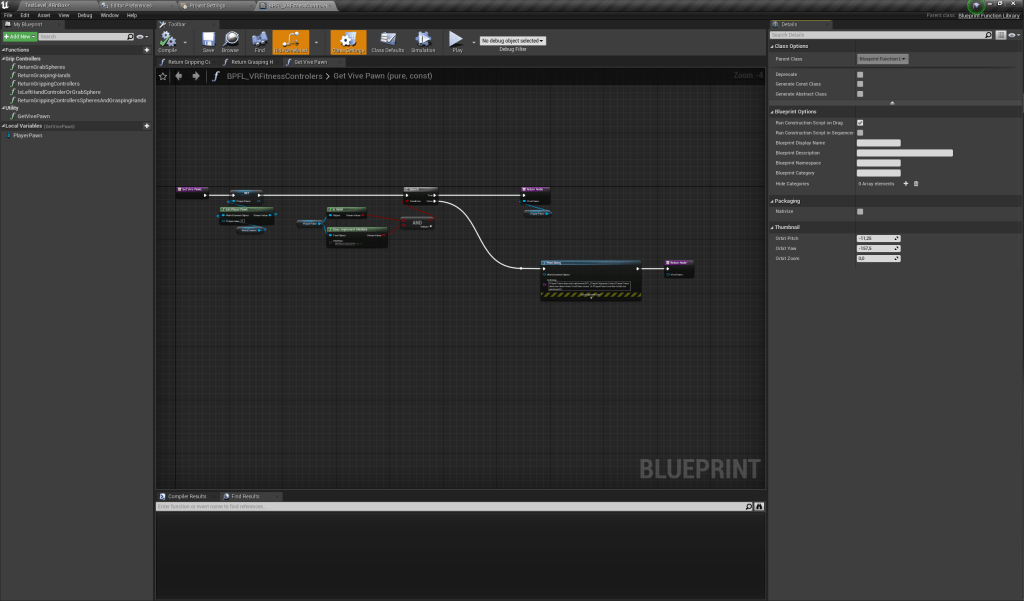
This blueprint function library has a few functions that can help retrieving the VivePawn’s GrabSpheres, GraspingHands and GrippingControllers. It can also perform checks to see if references we may have are from a left or right hand.
It also has a function to retrieve the VivePawn.
- Grip Controllers
- ReturnGrabSpheres – Returns both Grab Spheres. You can either provide a GripController or GrabSphere. Toggle between using bUseGripController. Providing a valid Player blueprint is preferable but the function has a fallback for it.
- ReturnGraspingHands – Returns both Grasping Hands. You can either provide a GripController or GrabSphere. Toggle between using bUseGripController. Providing a valid Player blueprint is preferable but the function has a fallback for it.
- ReturnGrippingControllers – Returns both Grip Controllers. You can either provide a GripController or GrabSphere. Toggle between using bUseGripController. Providing a valid Player blueprint is preferable but the function has a fallback for it.
- IsLeftHandControlerOrGrabSphere – Returns TRUE if the provided input correspondes to a LeftHand object. You can either provide a GripController or GrabSphere. Toggle between using bUseGripController. Providing a valid Player blueprint is preferable but the function has a fallback for it.
- ReturnGrippingControllersSpheresAndGraspingHands – Returns all objects related to VivePawn hands. Grab Spheres, Grip Controllers and Grasping Hands. You can either provide a GripController or GrabSphere. Toggle between using bUseGripController. Providing a valid Player blueprint is preferable but the function has a fallback for it.
- Utility
- GetVivePawn – Returns the Player’s VivePawn if existing. Checks if implements BPI_PlayerCharacter interface.
4.4 BPML_VRFitness
This blueprint macro library currently has two macros in it. One controlls execution providing a ForLoop with a delay setting to it. The other checks the validity of an actor by testing if it has both the correct interface and tag assigned to it.
- Actor Testing
- DoesProvidedActorHasTagAndInterface – Checks if provided actor has both the tag and interface provided.
- Execution Control
- ForLoopWithDelay – A for loop with a delay setting.

4.5 BPI_PlayerController
Currently just has one event in it. Meant to implemented in Player Controller blueprints.
- Haptics
- PlayHapticFeedback – Will trigger an haptic feedback effect trough the player controller.


 BearHammer Games
Leave a comment